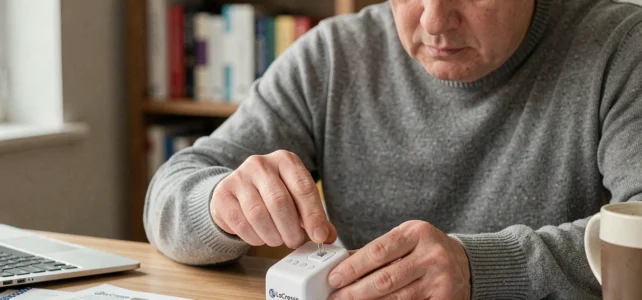
Resetting a La Crosse Technology weather station does not always yield the same result depending on the source of the malfunction. A frozen screen, a silent outdoor sensor, or a faulty Wi-Fi synchronization require different actions, and confusing these situations often leads to repeating the process without resolving anything. This guide distinguishes each scenario to identify the correct procedure on the first try.
Diagnosis before resetting: what the symptoms reveal
The first mistake is to press the reset button as soon as a dash replaces a temperature value on the screen. In most cases, the problem stems from a loss of signal between the outdoor sensor and the console, not a software bug.
Related reading : How to Secure Your Construction Sites Easily with an Innovative App
La Crosse Technology specifies that the maximum range of stations equipped with IT+ technology reaches 100 meters in open field. Each exterior wall reduces this distance by 6 to 10 meters, and each interior partition by 3 to 10 meters depending on its thickness and composition. Ferro-concrete, stucco, and anti-UV glass present particular transmission challenges.
| Symptom | Probable Cause | Appropriate Action |
|---|---|---|
| Dashes instead of outdoor temperature | Loss of sensor signal | Reposition the sensor or base, check the batteries |
| Frozen screen, unresponsive buttons | Software lock of the console | Factory reset (button on the back of the device) |
| Inconsistent data (differences of several degrees) | Sensor exposed to direct sunlight or weak batteries | Move the sensor to the shade, replace the batteries |
| Wi-Fi station disconnected from the La Crosse View app | Loss of network pairing | Reset the Wi-Fi connection in the app |
Before knowing how to reset a La Crosse weather station, you must determine whether the malfunction relates to the radio signal, the console itself, or the link with the app. A complete reset applied to a simple range issue erases your settings without correcting the cause.
You may also like : How to Easily Reset a Parking Sensor: Simple Steps and Practical Tips
Resetting the outdoor sensor and console: order of operations
The order in which you reset the components changes everything. The procedure recommended by La Crosse Technology follows a precise logic that many guides overlook.
Reset the outdoor sensor first
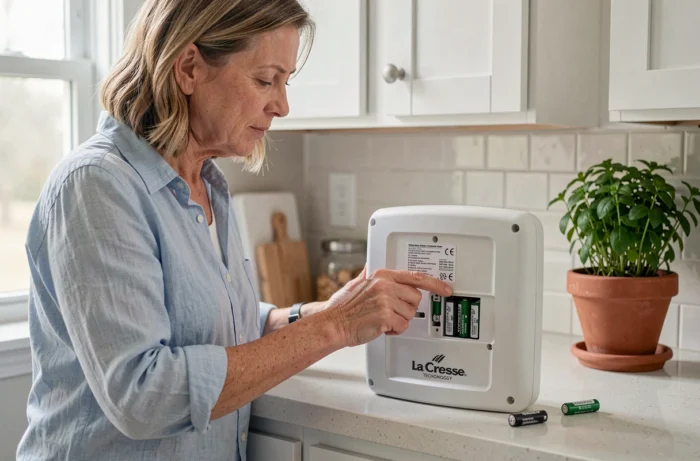
Remove the batteries from the sensor and wait at least one minute. This delay allows the component to clear its memory. Then insert new batteries, not just the ones you just removed. Batteries that have lost charge can trigger intermittent signal losses that are difficult to diagnose.
The sensor must always be powered before the console. If the console powers on first, it initiates a signal search that fails, then goes into radio sleep mode. You will then need to repeat the process.
Reset the console next
Unplug the power adapter if your model uses one, then remove the batteries. Wait again for one minute. Reinsert the batteries, then reconnect the adapter. The console will then enter sensor search mode for a few minutes.
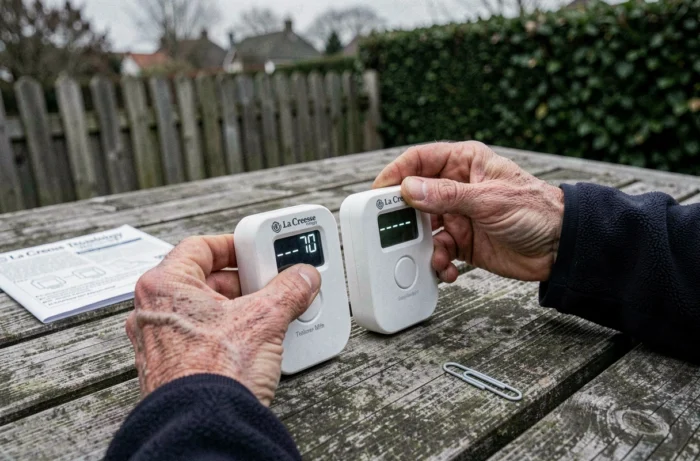
- Place the outdoor sensor within 3 meters of the console during the pairing phase, then move it to its final location once the connection is established
- Temporarily move the console away from sources of interference (TV, microwave, refrigerator, speakers) that disrupt radio signal reception
- Ensure that the dashes on the screen have been replaced with stable values before re-entering your settings (time zone, department, measurement units)
If the sensor is still not detected after two attempts, change the transmission angle of the sensor relative to the console. La Crosse Technology recommends this rotation to bypass obstacles made of ferro-concrete or treated anti-UV glass.
Wi-Fi stations and the La Crosse View app: a different reset
Recent models connected via Wi-Fi add a layer of complexity. The problem is no longer between a sensor and a console, but between the console and a remote server, via your home network.
Resetting the console does not reset the Wi-Fi pairing. On most La Crosse View compatible stations, the network connection is configured from the mobile app. A hardware reset of the console may even force a new registration procedure in the app, complicating matters if you had a history of synchronized data.
However, if the console displays correct local data but the app no longer updates, the problem lies with the Wi-Fi link. In this case, access the network settings of the station via the app, remove the device, and then restart the pairing process. The physical reset of the console is of no use here.
Common mistakes that cause a new failure after resetting
Resetting correctly does not guarantee anything if the station’s environment remains unfavorable. Several mistakes consistently recur.
Reusing partially discharged batteries is the most common. Weak batteries cause intermittent disconnections that the reset temporarily masks. The sensor seems to work for a few hours, then loses the signal again.
Replacing the console in the same spot without checking for interference ignores the cause of the initial problem. A refrigerator or Wi-Fi router located too close to the base permanently disrupts radio reception.
Finally, not reconfiguring the settings after a factory reset leaves the station on its default settings. The time zone, department for forecasts, and measurement units (Celsius or Fahrenheit) must be manually reprogrammed from your model’s manual.
The distinction between a radio range issue, a software lock of the console, and a loss of Wi-Fi synchronization remains the starting point for any effective intervention. A repositioned sensor and new batteries resolve most failures without the need for a complete reset. Reserve the reset for cases where the screen is unresponsive or displays clearly erroneous values despite a functioning sensor nearby.